Why Default Settings Cost You Frames and Reaction Time
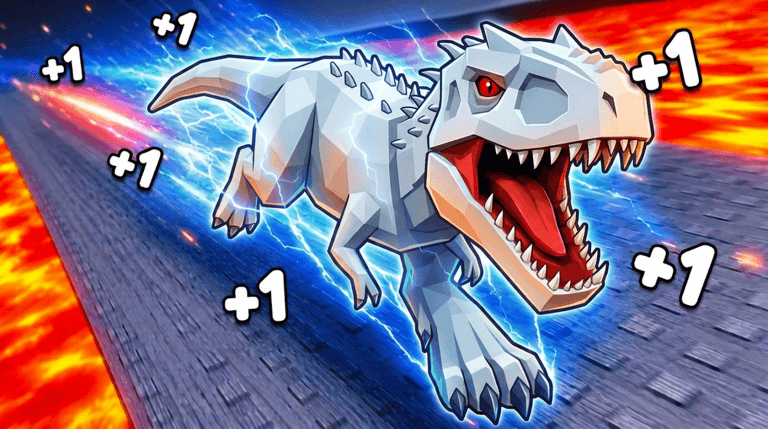
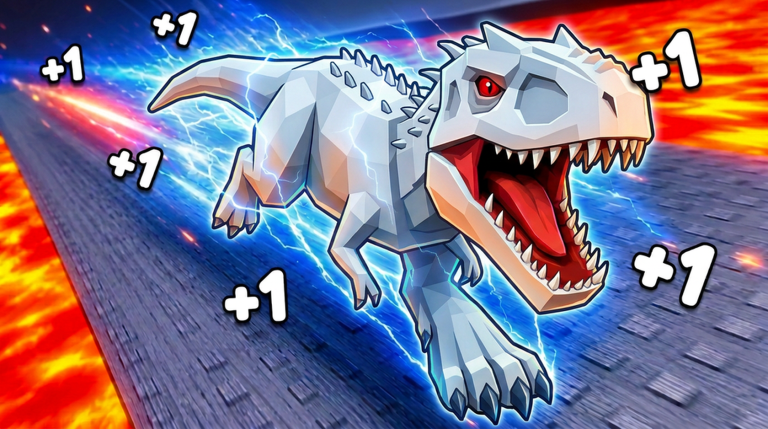
In 1 Dino Evolution, every millisecond counts when you are battling dinosaurs like the Terezino or grinding through fight zones to earn Wins. Default Roblox settings can introduce unnecessary lag, especially during intense moments such as boss fights against the Indominus Rex or when multiple pets are active. This lag not only costs you frames but also slows your reaction time, making it harder to clear stages quickly or survive longer runs. Optimizing your settings ensures you can focus on progression, unlocking stronger evolutions, and maximizing your Wins without technical hiccups interrupting your grind.
Graphics Settings Ranked by Performance Gain
Graphics settings have the most direct impact on your frames per second (FPS) in 1 Dino Evolution. Here is a ranking based on performance gain per visual cost, from highest impact to lowest:
- Graphics Quality: Lower this from the default High to Medium or Low. This reduces the rendering load, which is crucial when you are in areas with dense dinosaur spawns or during rebirth animations. The visual trade-off is minimal compared to the FPS boost.
- Shadows: Disable shadows entirely. Shadows are resource-heavy and often unnecessary for gameplay clarity. In 1 Dino Evolution, turning off shadows can prevent stuttering during rapid movements, such as when you are navigating between fight zones.
- Particle Effects: Reduce or turn off particle effects. Particles from attacks, pet abilities, or egg hatching can cause lag spikes. For example, when you are hatching a Desert Egg for a pet, fewer particles mean smoother performance.
- Textures: Set textures to Low. This frees up memory, which is helpful on devices with limited RAM. It does not affect core mechanics like damage calculations or Wins accumulation.
By tweaking these settings, you can maintain a stable FPS, allowing you to react faster during dinosaur battles and progress through stages more efficiently.
Network Basics for Smoother Play
Network issues like high ping or packet loss can make 1 Dino Evolution feel unresponsive, especially when you are trying to defeat tough dinosaurs or rebirth quickly. Here are key network optimization steps:
- Server Selection: Always join a server with a low ping indicator. In Roblox, you can see ping before joining. Aim for servers under 100ms ping to minimize delay during fights. This is critical for activities like rapidly clearing fight zones or defeating bosses like the Super Raptor.
- Ping Symptoms: Watch for signs of high ping, such as delayed attacks or movements not registering. If you notice this, try switching servers immediately. High ping can cause you to miss hits on dinosaurs, slowing your Wins gain.
- Packet Loss: Packet loss manifests as rubber-banding or sudden teleportations. If this happens, it often indicates a poor connection. Reset your router or switch to a wired connection if possible. In 1 Dino Evolution, packet loss can disrupt your progress in stages, forcing you to restart fights.
Stable networking ensures that your actions, like clicking to build Strength or collecting Wins, are processed without lag, keeping your grind uninterrupted.
UI and Control Layout Tweaks Veterans Use
A well-organized UI can save you precious seconds in 1 Dino Evolution. Veterans recommend these tweaks to streamline your gameplay:
- Relocate Key Buttons: Move the Store button from the default left side to a more accessible spot, like the bottom center, for quicker access when you are saving Wins for a dinosaur upgrade. This reduces the time spent navigating menus.
- Simplify HUD Elements: Hide non-essential HUD elements to declutter your screen. For instance, if you are focusing on damage output, minimize unnecessary stats display. This helps you stay focused on the action during dinosaur battles.
- Customize Controls: Adjust touch controls on mobile devices for faster tapping. Since 1 Dino Evolution relies on clicking to gain Strength, ensuring your tap zones are large and responsive can boost your efficiency.
These UI adjustments minimize distractions and help you react faster, whether you are rebirthing for more power or hatching eggs for pets.
Device-Specific Advice for Optimal Performance
Different devices require tailored settings to run 1 Dino Evolution smoothly. Here are recommendations for low-end laptops, tablets, and phones:
- Low-End Laptops: Prioritize performance over visuals. Set all graphics to Low, close background applications, and ensure your power plan is set to High Performance. This is essential when you are battling multiple dinosaurs or in areas with high detail.
- Tablets: Reduce screen resolution if possible and disable anti-aliasing. Tablets can overheat during long sessions, so lower settings prevent thermal throttling, especially when grinding for Wins against dinosaurs like the Baryonyx.
- Phones: Enable battery saver mode within Roblox settings to limit FPS, but keep graphics low. Avoid playing while charging to prevent overheating. For quick sessions, this ensures you can clear stages without performance drops.
By optimizing for your specific device, you can maintain a consistent experience, making it easier to focus on unlocking evolutions and defeating bosses.
Frequently Asked Questions
Q: Why does my game lag when fighting the Indominus Rex?
Lag during boss fights like the Indominus Rex is often due to high graphics settings. Lower your Graphics Quality and disable Shadows to improve performance. Additionally, ensure your server has low ping to avoid network delays during the fight.
Q: How can I make the Store button easier to access for quicker Wins spending?
In the UI settings, relocate the Store button to a more convenient position, such as the bottom of the screen. This allows you to open it faster when you have enough Wins to buy a new dinosaur like the Ceratosaurus, saving time during your grind.
Q: What settings should I use on a mobile device to prevent overheating during long sessions?
On phones or tablets, reduce Graphics Quality to Low, turn off Particles, and disable unnecessary HUD elements. Avoid playing while charging, and take breaks to let your device cool down, especially when hatching eggs or rebirthing frequently.
Optimize and Conquer
By following this settings checklist, you can transform your 1 Dino Evolution experience from laggy to smooth, ensuring you never miss a beat during dinosaur battles or progression grinds. Apply these tweaks today, dive back into the game, and watch as you clear stages faster, defeat bosses with ease, and unlock those top-tier evolutions like the Super Raptor. Your optimized setup is the key to climbing the ranks and becoming the strongest on the server.
1 Dino Evolution Codes (November 2026)
No active codes yet for 1 Dino Evolution; 1 unverified code is being tracked.
Not yet fully verified. This list updates as sources are rechecked.
No verified active codes are currently recorded for this game. 1 community reported code is awaiting verification in the Unverified Reports list below, with the source and date we recorded where available.