
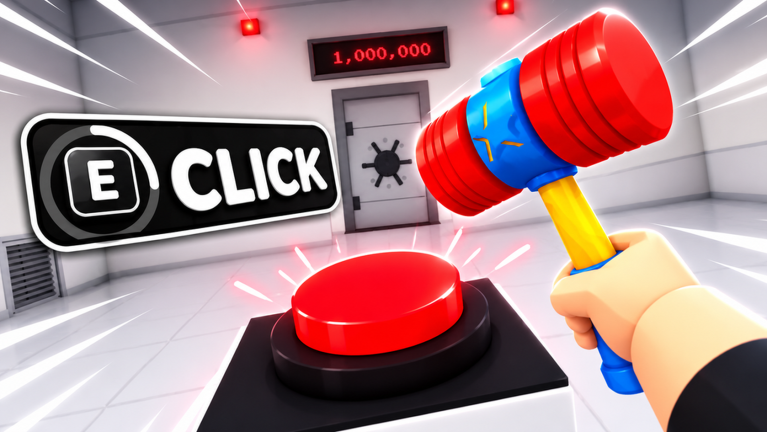
You signed up for a game show and woke up locked in a plain white room with a single exit: a giant red button that has to be pressed one million times. In 1M Clicks To Escape the whole experience hangs on one repetitive action, so any frame stutter, delayed click registration or cluttered screen you bring with you gets repeated a million times over. That is why settings work matters more here than in a round based shooter. Before you queue up solo or get locked in with friends, it pays to clean up what your client is rendering and how your clicks are reaching the server.
Why default settings cost you on the big red button
1M Clicks To Escape is not asking your machine to render busy combat. The play space is a plain white room with the button as the focal point, and your progress comes from sustained clicking while gems accumulate toward upgrades and new items. When your client spends frames on background scenery you barely look at, those are frames not going to smooth click feedback. The reward loop is simple: every press counts toward the million, gems fund stat upgrades that improve your pace, and unlocks change what the room offers while you keep pressing. Everything you shave off the rendering load keeps that loop feeling responsive instead of heavy.
Graphics settings ranked by visual cost
- Highest cost, easiest cut: background detail and view distance. Roblox graphics quality controls how much of the world your client draws around you. In a single room experience like this one, pulling that slider down removes distant detail you will never inspect while your focus stays on the button.
- Next tier: lighting and material quality. Fancy lighting and smooth surfaces look pleasant on the white walls, but they buy you nothing toward the click target. Dropping them lightens the load without hiding the button or your HUD.
- Lowest cost, keep it: the essentials that keep the button readable. You still need to see the red button, your gem count and your upgrade menus clearly. Turn down decoration, not legibility, because misreading an upgrade menu costs more time than a prettier wall ever saves.
- Full automatic mode as a baseline. If you would rather not tune manually, letting Roblox balance quality for you is a reasonable starting point before you queue, then trim further only if clicks feel sluggish during a long session.
There are no frame rate figures attached to this experience in the sources we have, so treat these as cost rankings rather than promises of a specific performance number.
Network basics before you commit to a long click session
Because progress is one press at a time, connection hiccups are easy to feel. If some presses seem to land late or your gem count updates in bursts rather than smoothly, that pattern usually points to latency between you and the server rather than a slow device. Joining when you have a stable connection saves you from losing the thread of a long session, and playing with friends means everyone's connection shapes how the shared escape feels. If clicks start registering inconsistently, pause before you keep tapping: a dropped stretch of presses is harder to notice in a repetitive grind than in a fast match.
UI and control layout wins
- Clear the space around the button. Keep panels and menus out of the area you are tapping so a stray press does not open an upgrade screen mid rhythm.
- Keep gem and upgrade readouts in one consistent spot. You will be glancing at them constantly while deciding when to spend gems on stat upgrades or save for Class spins, so a fixed position beats hunting for them.
- Know your unlock trail. Progress brings new items and more of the story behind the room. Checking what a new item changes can show you a different way to approach the challenge instead of pressing blindly.
Device notes for low end laptops, tablets and phones
1M Clicks To Escape works on the devices people already own, and it can be played alone or with up to friends, which makes touch screens a natural fit. On a phone or tablet, the biggest gains come from reducing on screen clutter and keeping the button in comfortable thumb range for a session that can stretch on. On a low end laptop, drop the graphics quality first, since the white room loses almost nothing visually. Whichever device you use, the goal is the same: fewer distractions between you and the next press.
Closing the distance to one million
There is only one way out of 1M Clicks To Escape, and it runs straight through a million presses. Spend gems on stat upgrades to speed the climb, use Class spins to unlock different approaches, and let new items keep the room interesting while you work. Tune the client first, then settle in.
Q: What do you actually do in 1M Clicks To Escape?
You are locked in a plain white room after signing up for a game show, and the only exit is a giant red button. You click it one million times while earning gems, unlocking items and uncovering the story of why you are stuck there.
Q: What are Gems and Class spins used for?
Gems are earned as you keep tapping and can be spent on stat upgrades that improve your progress, or used to try your luck with Class spins, which unlock different ways to approach the challenge. Items bought with gems can change how the room feels or give you something new to check out while you keep pressing.
Q: Can you play 1M Clicks To Escape with friends, and are there codes yet?
You can play alone or get locked in with up to your friends to escape together. On codes, there are currently none to redeem, and when new codes are released they will appear in the live list below, which this page monitors as they drop.
If you are about to start your own escape run, sort your settings first, then share the room with friends and see who holds out through the full million. Check back here for the latest guides on 1M Clicks To Escape.
1M Clicks To Escape Codes (November 2026)
No active codes yet for 1M Clicks To Escape; 3 unverified codes are being tracked.
Not yet fully verified. This list updates as sources are rechecked.
No verified active codes are currently recorded for this game. 3 community reported codes are awaiting verification in the Unverified Reports list below, with the source and date we recorded where available.