Why a session plan beats aimless play
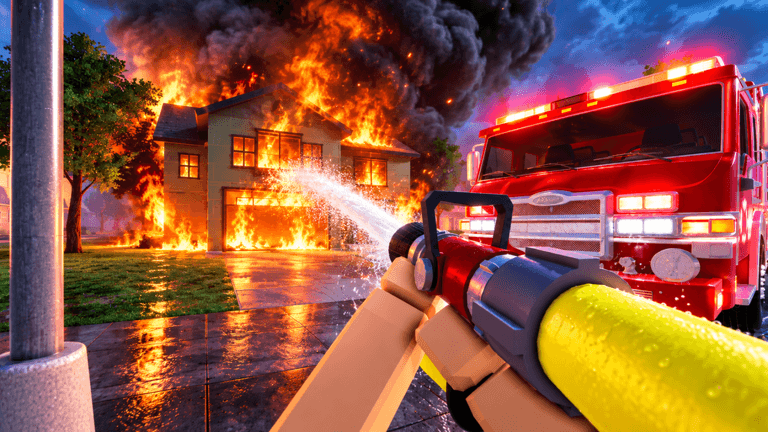
Firefighting Sim is a daily-task style loop at heart: a call goes up, you spawn a rig, you drive out, you knock down the fire, and the game hands you a report. Sportskeeda's beginner guide describes the core loop plainly: you answer emergency calls to extinguish fires and rescue civilians, each call presents a different kind of challenge, and completing one earns a performance report that feeds promotions toward the rank of Fire Chief.
That structure rewards planning more than grinding. Because performance reports decide your promotions, the difference between a short session and a long one is not raw hours, it is how cleanly you handle vitals, masks, and call response inside those hours. Below are three plans built for a 15 minute break, a one hour sit-down, and a three hour marathon.
The 15 minute plan: one clean call from station to report
- Suit up before you leave the bay. ItzVexo's guide shows the flow: spawn the normal fire engine, drive over to the station, and suit up in your gear. Do the suit step first so you never arrive at a burning building unprotected.
- Spawn the fire engine and wait for the call. CHALLS' full guide notes you have to wait for a call to go up, then head straight to it. In a 15 minute window, spending the first minute in the station is fine, but the moment the call appears, move.
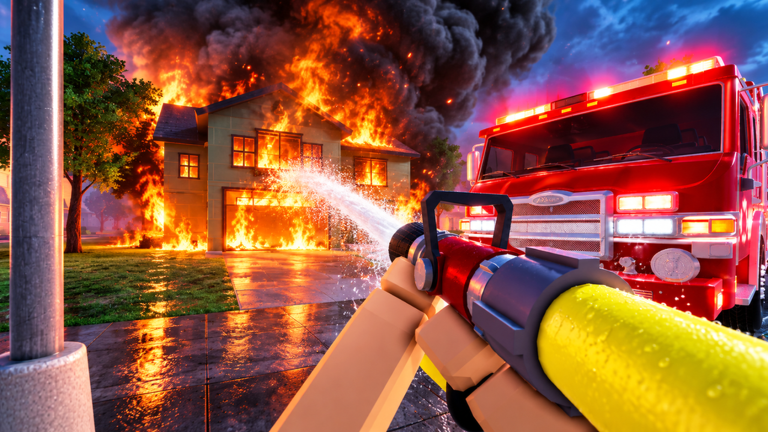
- Attack the outside fire with the water hose. Spray down the exterior flames first. NoobBlox's guide recommends clearing the outside fire before you ever think about going in.
- Mask on, then finish the interior. CHALLS stresses that without your mask on, putting out fires inside is far harder. For a short session, only commit to the interior if your vitals give you room.
- Read the vitals panel on the bottom left. ItzVexo points out that your suit can only take so much heat and smoke, and that your vitals sit at the bottom left of the screen. In a 15 minute run, backing out early and finishing healthy is usually better than dying mid-job.
The one hour plan: add a second call and the fire ax
With a full hour you can stack calls and push deeper into buildings. Keep the same opening as the short plan, then add these steps:
- Carry the fire ax inside. NoobBlox notes you may need the ax to break down doors so you can get through the building and reach more fire. In a one hour block, one blocked door should not end your run.
- Rotate between exterior and interior phases deliberately. Clear the outside, mask up, work the interior, then step out and check the vitals panel again before the next call.
- Use the vehicle controls properly on the drive. The published control set for Firefighting Sim covers accelerate on W, reverse and brake on S, steering on A and D, siren toggles on F, R, Y and G, horn on H, pathfinder on K, signals on Q and E, headlights on L, parking brake on P, camera switch on V, and radio on B. The pathfinder key and the siren toggles matter most when you are racing a call across the map.
- Bank your performance report. Because promotions come from the report on your completed emergency, finishing two clean calls in an hour advances you further than four sloppy ones.
The marathon plan: three hours of ranked climbing
A long session is where Firefighting Sim's progression systems start to stack. Three habits carry most of the weight:
- Run calls all the way to the report. Every completed emergency produces a performance report, and promotions based on that performance are how you climb toward Fire Chief. Treat an abandoned call as wasted time.
- Reinvest your XP into new rigs. ItzVexo explains that you unlock cars with XP and that the more you play, the more cars you unlock. A three hour block is long enough to notice a new vehicle become affordable, which shortens every drive after it.
- Rotate your station role. Spawn the fire engine for fire calls, but keep an eye on the other rigs at the station, including the ambulance option VendoPlus cycles through in his walkthrough. Being willing to take a different call type keeps a long session from stalling while you wait.
Setup to run before you log off
Firefighting Sim does not hand you offline income to manage, so the best end-of-session habit is preparation. Before you close the game: suit up, spawn your preferred rig, confirm your mask and ax are on your bar, and glance at the vitals panel so you know your starting state next time. The next session then starts at the call, not at the locker.
FAQ
Q: How do promotions work in Firefighting Sim?
You answer emergency calls, and each completed emergency gives you a report detailing your performance. Promotions follow from that performance, and the top of the ladder is the rank of Fire Chief.
Q: What happens if I stand in smoke or heat without gear?
Your suit only tolerates so much heat and smoke. The vitals display at the bottom left tracks it, and both smoke and heat can kill you, which is why guides repeatedly push the mask before entering a smoky interior.
Q: Are there any Firefighting Sim codes right now?
There are currently none to redeem. No rewards can be claimed yet for Firefighting Sim, and this page is monitored and updates the moment codes drop.
Conclusion
Fit the plan to the clock you actually have. Fifteen minutes means one dressed, masked, vitals-aware call. An hour buys a second call plus the fire ax for interior work. Three hours is where performance reports, promotions, and XP vehicle unlocks start compounding toward Fire Chief. Start your next session at the call, not at the locker.
Firefighting Sim Codes (October 2026)
No active codes are available right now for Firefighting Sim.
Not yet fully verified. This list updates as sources are rechecked.
No verified active codes are currently recorded for this game.