Where Your Edge Quietly Drains in First Person Boxing
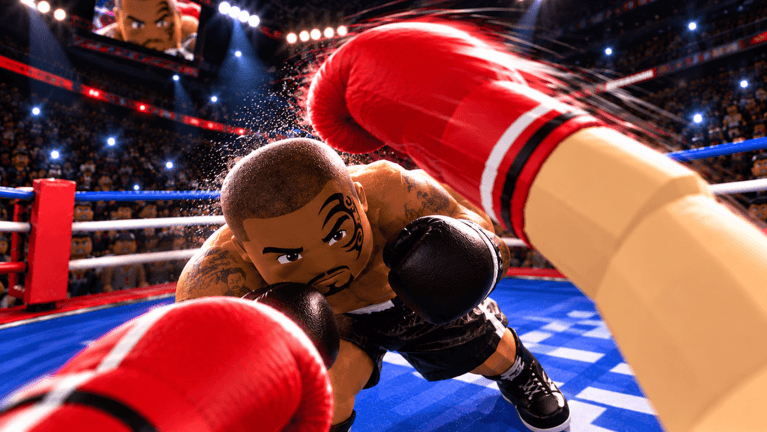
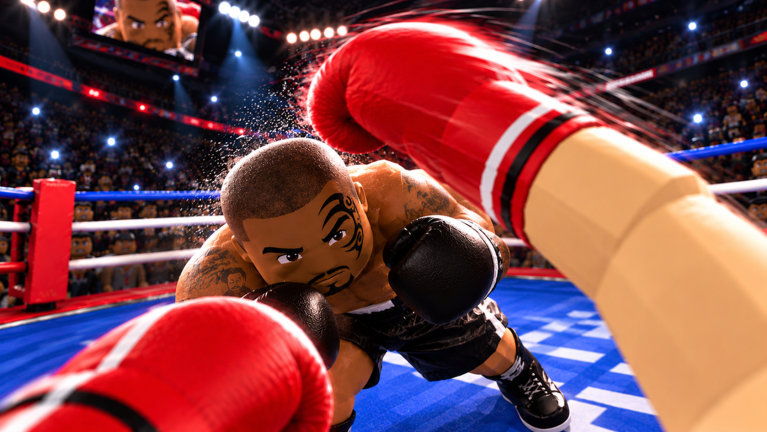
First Person Boxing is a realistic first-person boxing simulator built on the sweet science: you square up against other players, watch fists come flying at your noggin, and try to put your opponent down before they put you down for a 10-count. The experience leans hard on dodging and timing, with an emphasis on landing a blow when your opponent's guard is down, and it layers styles on top so you can get one over on your opponent. As the saying goes, styles make fights.
Most of the value that leaks out of a First Person Boxing session never has anything to do with your record. It drains away in the menu before you ever touch gloves: a lock key you never press, a sensitivity left at a setting that cannot track a moving head, a glove sensitivity you never adjusted, a fighting style you rolled once and never reconsidered, and a tutorial you clicked through without reading the full control list. This guide walks the loop the way the menu itself presents it, from settings to shop to style roll to ring, and closes the gaps where your preparation quietly wastes a match.
The Settings Leak: Lock On, Sensitivity and FOV
A beginner's guide to First Person Boxing makes a strong case that the settings screen is the first loadout in the game, and that most players leave it half-finished. The recommendations it puts forward are specific:
- Lock on with Q. The guide calls target lock really important, because tracking a moving opponent in a first-person view is what makes clean punches land at all. If lock on is off, you are swinging at where a head used to be.
- Raise your mouse sensitivity. The same guide advises turning sensitivity up so you can actually change your shots, which matters when you switch between head hunting and body work mid-combo.
- Glove sensitivity is separate. Pressing left alt changes glove sensitivity, which is a different slider from your view sensitivity. Players who only tune one of the two end up with crosshairs that track fine and gloves that do not.
- Field of view. The guide recommends setting FOV to 90 so your view opens up and you can actually see what is coming at you.
- Turn off Head moves with punches. This is presented as the best all-around choice, keeping your view steady while you throw instead of yanking the camera with every swing.
Think of these five toggles as the pre-run checklist. Run through them before you queue, because re-tuning mid-session costs you rounds.
Shop, Style Roll and Where to Spend Attention
The shop is the first place the interface sends you. Open it with the Shop button on the left-hand side of the screen, or hit the B key to pull up the shop tab. Guides for the experience walk new players into the shop immediately after the tutorial, which is a signal that preparation happens there, not in the ring.
Styles are where the depth sits. Rather than picking a fixed identity, you roll for a fighting style, and the beginner's guide frames the whole exercise around landing the Philly Shell, the signature shoulder-defensive style long associated with Floyd Mayweather. Treat a roll as a decision, not a slot machine spin: a shoulder-guard style rewards patience and head movement, while your customization choices, body type, face and weight, set the frame that style has to work with. Change one thing at a time so you can actually tell which change paid off.
There is also a free scouting route that costs you nothing: spectating pro matches between other players. The guide points to it as a way to learn punch timing and defensive strategies by watching people who already have the rhythm down.
Ring Tactics That Stop a Match From Wasting Itself
Once you are ready, press the J key to join the fight in the 1v1 ring and spar against other players. What you do in there is where the leaks turn into losses:
- Combos beat single shots. A simple left-right is reliable, and the guide adds a better pattern: a few body shots, then a hook upstairs.
- Aim low for body work. Body shots come from aiming the gloves low, which pulls your opponent's guard down and opens the head shot.
- Hold the click to extend a punch. Holding the click keeps the punch out, which lets you threaten with range instead of flicking and resetting.
- Pop and weave on defense. Pressing space together with W and D pops and weaves your head. The guide notes this is not explained in the tutorial, so it is the single biggest reason to read the full control list.
Codes and Rewards
First Person Boxing has a code system, and there are currently none to redeem. No rewards can be claimed yet for First Person Boxing. This page is monitored and updates the moment codes drop, and when new codes are released they will appear in the live list on our codes page. Codes in Roblox experiences are typically time-limited by design, so the moment a drop happens, redemption windows tend to close quickly.
Q: How do I open the shop in First Person Boxing?
Press the Shop button on the left-hand side of the screen, or hit the B key to pull up the shop tab. Most guides send you there right after you finish the tutorial.
Q: How do I enter a 1v1 match?
Press the J key to join the fight and enter the 1v1 ring to spar against other players. If you want to learn before committing, spectating pro matches lets you watch timing and defense without taking punches.
Q: Are there any First Person Boxing codes I can use right now?
There are currently none to redeem. No rewards can be claimed yet for First Person Boxing, and this page is monitored and updates the moment codes drop.
Conclusion
First Person Boxing rewards players who treat the menu as part of the fight. Lock on with Q, tune sensitivity and glove sensitivity separately, set FOV to 90, turn off Head moves with punches, spend your style roll deliberately, and take the tutorial's control list seriously enough to find the space plus W and D weave. Do that, then take the J key into the 1v1 ring with body shots flowing into hooks.
Want more? Check our First Person Boxing codes page for the live list, and come back here for the next round of settings and style breakdowns.
First Person Boxing Codes (November 2026)
No active codes yet for First Person Boxing; 12 unverified codes are being tracked.
Not yet fully verified. This list updates as sources are rechecked.
No verified active codes are currently recorded for this game. 12 community reported codes are awaiting verification in the Unverified Reports list below, with the source and date we recorded where available.