Every code in 1 TNT Mining dies in one of three ways. It can hit an expiry date the developer set, it can hit a use cap once enough players have claimed it, or it can be removed quietly with no announcement at all. The third kind is the one that catches people off guard, because an entry can keep looking valid on a page that has not rechecked it yet.
Expiry literacy is about reading that clock before it runs out. You learn which kind of death a code is facing, what the warning signs look like, and which habits keep your account ready when the next drop lands. This guide covers that system for 1 TNT Mining specifically, and points you to the live list where current status is tracked.
How 1 TNT Mining Plays, and What This Page Tracks
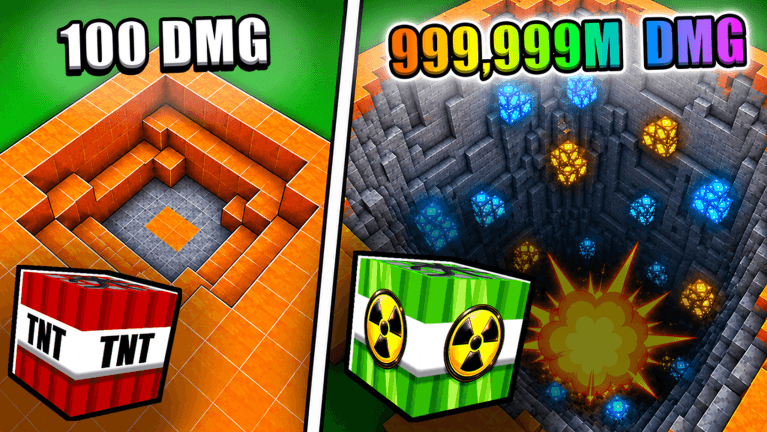
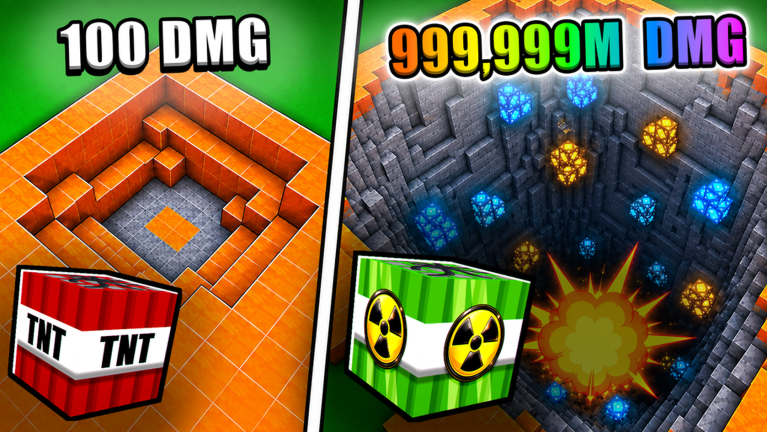
1 TNT Mining is a mining simulator. You place TNT in the designated spots to blow up mining areas and collect the blocks, then return to the lobby and sell them at the Sell station for Cash. Cash funds better TNT blocks and stat upgrades, and you can build your Damage stat by repeatedly pressing the Left Mouse Button with your TNT equipped. Higher Damage means a bigger explosion, and that trained Damage carries over even when you swap to a different TNT block. Deeper mines, tougher layers, pets, Egg Shards, Rebirths, Secret blocks, and optional gamepasses sit further along that progression loop.
Codes sit on top of that loop as a bonus layer, which is exactly why they are easy to miss. This page tracks code entries for 1 TNT Mining only, checking each reported entry against its sources before it is treated as confirmed. Four reported entries are currently under review and there are none to redeem at the moment, so no reward can be claimed yet. The tracked list was last checked against its sources on September 24, 2026, and the page is tracking for verified active codes as they clear review. Use the live list below after the ad, then keep reading for redemption fixes and update tracking.
1 TNT Mining Codes (September 2026)
No active codes yet for 1 TNT Mining; 4 unverified codes are being tracked.
Not yet fully verified. This list updates as sources are rechecked.
No verified active codes are currently recorded for this game. 4 community reported codes are awaiting verification in the Unverified Reports list below, with the source and date we recorded where available.
Warning Signs a Code Is Close to Dying
Watch for these signals before you count on an entry:
- A code is tied to a short promotion or a community event window, and that window is ending.
- A surge of players is talking about the same entry at once, which usually means the use cap is draining fast.
- An entry has not been rechecked against its source in a while, so its status on any list may be stale.
- The developer has just shipped an update that changed progression, since rebalances are a common moment for old entries to be pulled.
Claiming Habits That Keep You Current
Claim early rather than at the end of a session, since a code that is fine this morning can be gone by evening. Check the live list before you start a mining run instead of after, so you know what is still valid. Recheck after every game update, and treat any entry you cannot confirm as spent rather than risking a wasted attempt. Once you have claimed, go back to the loop you already know: mine, sweep the blast, watch your capacity, sell at the Sell station, and put the Cash toward the bottleneck in front of you.
How Redemption Works Once Codes Appear
- Launch 1 TNT Mining and reach the main interface where the code entry field is shown.
- Enter the code exactly as it appears in the live list, since a single wrong character will fail.
- Confirm the entry and watch for the confirmation message before you close the window.
- If nothing lands, do not keep retrying. Move to the troubleshooting below.
Why a Code Fails
Most failures are one of the three deaths from the opening: the expiry date passed, the use cap was reached, or the entry was removed silently. Other common causes are a typo, extra spaces, or a code that was already registered on that account. A slow public lobby can also make a confirmation feel like it did nothing when it actually went through, so check your results before assuming failure.
Where the Developer Announces Drops
New codes for 1 TNT Mining arrive with developer announcements and update moments, and reported entries surface through community coverage and video guides before they are confirmed. This page consolidates those reports and verifies each one, which is why the live list is the reliable place to check status instead of a screenshot or an old post.
Q: Why did a 1 TNT Mining code stop working after only a few days?
Because entries are usually built for a short window. An expiry date, a use cap, or a quiet removal all end the same way from your side: the confirmation never comes.
Q: Does a code replace selling blocks at the Sell station?
No. Codes are a bonus layer on top of the loop. Blocks still sell for Cash, and that Cash is still what funds TNT blocks and stat upgrades.
Q: What should I do first when an entry fails?
Recheck the live list to see whether the entry still clears review, then confirm you typed it exactly. If the list no longer carries it, the window has likely closed.
Start with the live list above, claim whatever still clears, then get back to mining. Build your Damage, place TNT on intact blocks, and let the Sell station turn each load into Cash while you wait for the next code window to open.