
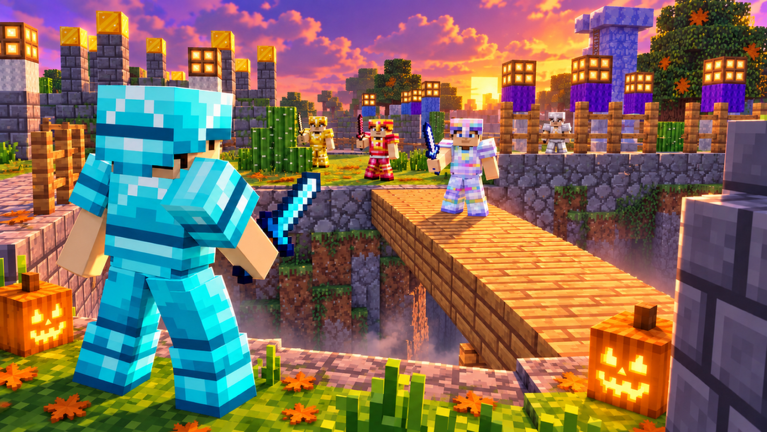
In 1 Upgrade Per Kill, every elimination bumps your gear up one tier and every death sends you straight back to Leather and Copper. That reset rule is what makes a dropped frame or a stutter at the wrong moment so expensive: you are not just losing a fight, you are losing a full climb through Iron, Diamond, Ruby, Shadow, Prism and MAXED. Default settings are tuned for how Roblox looks out of the box, not for a free-for-all arena brawler where knockback reads and critical hit trades decide who keeps their streak. This checklist walks through the settings worth touching before you queue, in the order they matter most.
Graphics and FOV: ranked by visual cost
Start with field of view. Community guide footage for this experience recommends pushing FOV to around 90 or even 95, and the reasoning holds up for a knockback-heavy arena: a wider view lets you track opponents circling you, spot the void edge before a Trickster or Trapper knocks you toward it, and keep high-upgrade targets in frame so you can hunt them for the bonus XP. The cost of a higher FOV is that edges of the screen stretch, so balance it against your own comfort rather than maxing it blindly.
Next, strip visual noise. Arena clutter competes with the cues that actually matter here: armor tier tells you how strong a target is, crit flashes tell you a trade is going badly, and cape and enchant effects tell you what a build is doing to you. Anything that does not feed those reads is a candidate for lowering. Treat this as a ranked trade, cheapest change first: widen your view, then reduce decorative effects, then trim anything heavy that only changes how pretty the map looks mid-fight. If a change does not help you read a Warrior's charge or a Bomber's throw sooner, it is not earning its frame cost.
One more setting worth an explicit decision: aim assist. Guide commentary suggests keeping it off and relying on your own aim. If you find it interfering with quick target swaps between multiple rushers, turn it off and let your raw tracking carry you instead.
Network basics: what a lag spike actually costs you
Latency in this experience shows up as delayed knockback, rubber-banding at the void edge, and hits that register a beat late. In a game where a single death resets your progress to zero, that beat is the whole run. Watch for the specific symptom of a hit connecting visually but the opponent not flinching, or your own character sliding back to a position you already left. Both patterns mean your inputs are arriving late, and both are most dangerous when you are deep into the Prism or MAXED part of the ladder, where the stakes are highest.
Pick a server close to you before you queue rather than after you spawn, and treat repeated stutter in one session as a signal to switch. A cleaner connection does not make you hit harder, but it does mean the knockback you earned is the knockback you get.
UI and control layout tweaks worth making
Two lobby habits matter as much as in-match settings. First, classes are upgradeable: when you pick Warrior, Archer, Trickster, Trapper, Skirmisher, Firestarter, Bomber or Scorcher, you can also upgrade that class to make it stronger, so check your class upgrade screen instead of queueing on a stock loadout. Second, enchants are rolled with gems or enchant rerolls, and rerolls come from completing quests. Roll for enchants that complement your class rather than dumping every resource into a single attempt, and keep quest completion ticking so your reroll supply does not run dry right when you want to rebuild.
Keep your HUD legible at a glance. Streak and kill leaderboards reward the players who can read their own status mid-fight without stopping, so avoid shrinking UI elements to the point where you cannot tell your gear tier or your remaining resources at a glance during a scramble.
Device notes for low-end laptops, tablets and phones
On weaker hardware, the FOV recommendation still applies, but pair it with the graphics trims listed above rather than running a wide view on full effects. Mobile and tablet players should also remember that touch controls punish missed knockback reads harder than mouse and keyboard do, so tightening control layout and keeping the camera turn responsiveness consistent is worth more than any cosmetic setting. If frames dip during crowded fights near the void, that is exactly the moment your Leather-to-Copper reset is one bad trade away, so cut effects first and keep your view wide.
FAQ
Q: Why does dying feel so punishing in 1 Upgrade Per Kill compared to other arena games?
Because death does not cost you a life or a small penalty, it resets your gear progress back to zero, from MAXED or Prism all the way down to Leather and Copper. That makes settings and connection quality part of your strategy, not just cosmetics.
Q: Which class is best if I am tuning settings to survive longer?
Community guide footage highlights Skirmisher as a strong pick for a hit-and-run style, and Trickster if you want to knock opponents back into the void, since void knockouts can count as a kill. Classes also have their own upgrades, so improve the class you actually queue with.
Q: Is a higher FOV actually worth it in this arena?
Guide commentary recommends FOV around 90 to 95 for this experience, mainly because the wider view helps you track rushing opponents and the void edge. Test it in a session where you are low on gear first, so a bad setting cannot cost a deep run.
Conclusion
Settings will not win you a duel on their own, but in 1 Upgrade Per Kill they protect the run you have already built. Widen your FOV, strip the effects that hide crit and armor reads, keep your connection clean, upgrade your class and enchants in the lobby, and queue knowing your frame budget is working for you rather than against you. Tune once, then spend your attention where it belongs: on the next elimination that moves you one tier closer to MAXED.
1 Upgrade Per Kill Codes (November 2026)
No active codes yet for 1 Upgrade Per Kill; 1 unverified code is being tracked.
Not yet fully verified. This list updates as sources are rechecked.
No verified active codes are currently recorded for this game. 1 community reported code is awaiting verification in the Unverified Reports list below, with the source and date we recorded where available.