Why default settings cost you time in Build a Phone Empire
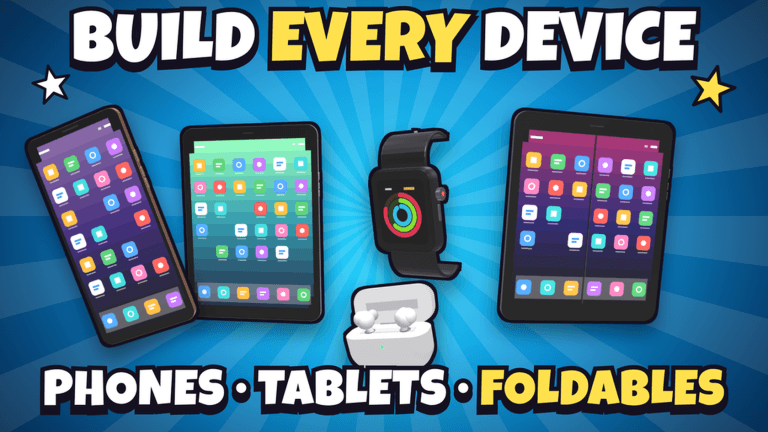
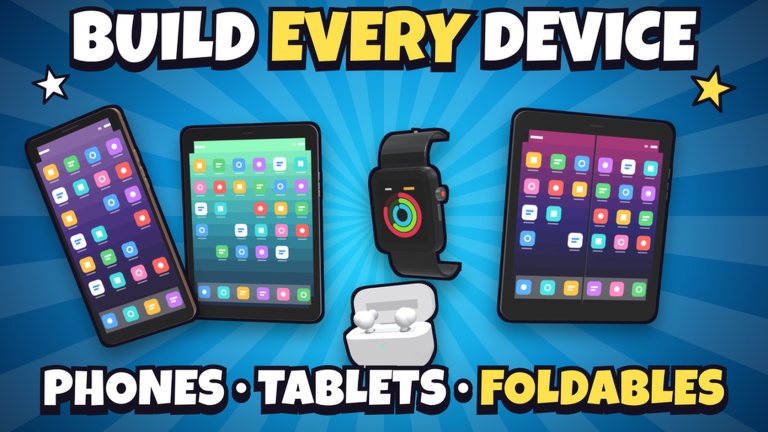
Build a Phone Empire drops you in a garage in 2007 with one goal: grow it into the biggest phone company in the world. Everything you do is layered on top of everything else. You design a device, pick the parts, set the price and hand it to your team, then launch with a marketing campaign, read the critics' reviews and watch sales come in live. On top of that you are building your office, hiring staff, researching new tech year by year and checking the global leaderboards.
That is a lot of moving parts on screen at once. When your graphics settings are sitting wherever the client left them, the heavy layers are the first things to stutter: a fully decorated office, a busy sales moment during a launch, or a leaderboard refresh while rivals are moving on you. Frame drops and input lag do not just look bad, they slow down the decisions that actually earn money. Tuning before you queue takes a few minutes and pays off across an entire run toward your Legacy bonus.
Graphics settings ranked by visual cost
Work from the most expensive setting downward. Each change below trades visual detail for responsiveness, and the descriptions explain exactly what you are giving up. No performance figures are quoted here because none are stated in the sources for this experience.
- Shadows. The single heaviest toggle in most Roblox experiences. Turn it down first if your office is full of desks, walls and decorations. You lose soft shading under furniture, and you keep full clarity on the buttons, corners and finishes you are adjusting in the device designer.
- Lighting quality. This controls how surfaces are lit across your build. Dropping it flattens the paint you choose on walls and floors, but it stabilises the frame rate when your office grows from a garage toward a Headquarters.
- Materials and surface detail. Turning this down simplifies textures on desks, doors, floors and decorations. It is a good trade during long building sessions where you are placing many objects in a row.
- View distance. Lower it while you are working inside your office or inside the design screen, since you are looking at close objects anyway. Raise it when you want to take in the whole floor plan.
- Textures and particle effects. The cheapest cut visually and often the last one you notice. Fine to disable during heavy building, marketing or leaderboard sessions.
The principle is simple: the detail you sacrifice is decorative, while the detail you keep is functional. Screen size, camera placement, button layout, colour, finish and logo on your device are all read best when the frame rate is steady.
Network basics before a live launch
Sales in Build a Phone Empire come in live during a marketing campaign, and rival companies are moving at the same time. That makes connection stability a gameplay concern, not a technicality.
- Server selection. Pick the server region closest to you when the client offers a choice. A distant server means your price changes, part swaps and campaign starts reach the server later than they appear on your screen.
- Packet loss symptoms. Watch for inputs that snap back after you commit them, a price or part selection that refuses to stick, or a sales readout that freezes and then jumps. Those are the signs of an unstable connection rather than a slow PC.
- Quiet the background. Close streams, downloads and other browser tabs before a session where you intend to push a launch and check the global leaderboards. Anything competing for bandwidth shows up first during live sales updates.
UI and control layout tweaks worth making
The device designer is where precision matters most. You are setting screen size, cameras, corners, buttons, colour, finish and logo, then choosing parts and a price before handing the device to your team. Give that screen as much clear space as you can.
- Maximise the window and reduce on-screen clutter so the small controls in the designer are easy to hit without misclicks.
- Keep the camera close and steady while editing a device so you can judge corners, buttons and finish without constantly repositioning.
- While building your office, position the camera so walls, doors and floors are all reachable in one sweep. Fewer camera moves means fewer wasted seconds per placed object.
- Leave room for the reviews and sales information. When a campaign goes live you want the critics' verdict and the sales movement visible without hunting for them.
Device notes for low-end laptops, tablets and phones
If you are on weaker hardware, your office itself is a performance lever. Walls, doors, floors, paint, desks and decorations are all yours to place, and every decoration adds visual load to the room you spend the most time in. A leaner office with the essentials first, and decorations added later, keeps the screen lighter while you are designing and launching devices.
Hiring also has a visual side: your Roblox friends show up as candidates and work in your office as their real avatars. Expect busier rooms as the team grows, so this is a good moment to revisit the graphics settings above and drop shadows or lighting another notch. On phones and tablets, keep the device brightness and interface scale comfortable rather than cramming the designer controls into a corner of the screen.
Advanced strategy: tie your settings routine to your Legacy loop
The long game in Build a Phone Empire is research, expansion and reset. You research new tech year by year and unlock tablets, smartwatches, earbuds, foldables and laptops, beat rival companies, expand into new regions, compete on the global leaderboards, then sell your company and start again for a permanent Legacy bonus.
That loop rewards consistency. Run a lean settings profile while you grind research and office building, then allow the heavier visuals when you are admiring a finished Headquarters or comparing yourself on the leaderboards. Treat settings as part of your routine rather than something you adjust mid-campaign, so your launch moments always run the same way.
FAQ
Q: What should I lower first if Build a Phone Empire stutters while I am decorating my office?
Start with shadows, then lighting quality. Your office is built from walls, doors, floors, paint, desks and decorations, and those are the elements that take the heaviest visual load. Materials and textures are the next cheapest cut, and the trade is purely decorative, so the device design controls stay just as readable.
Q: How do I know whether lag is my connection or my device during a marketing campaign?
Campaign sales come in live, so connection problems show up as inputs that revert, selections that will not stick, or a sales readout that freezes and then jumps forward. If instead the frame rate drops smoothly when your office fills with desks and decorations, the bottleneck is graphics settings rather than the network.
Q: Are there codes to redeem for Build a Phone Empire right now?
There are currently none to redeem. This page is monitored and updates the moment codes drop, and no rewards can be claimed yet for Build a Phone Empire.
Conclusion
Settings are the cheapest upgrade in Build a Phone Empire. Rank your graphics from shadows downward, stabilize your connection before a campaign goes live, give the device designer clean screen space, and keep your office lean while you are still building toward a Headquarters. Do that before you queue, and your frames, your inputs and your launch decisions all work with you instead of against you.
Build a Phone Empire Codes (October 2026)
No active codes are available right now for Build a Phone Empire.
Not yet fully verified. This list updates as sources are rechecked.
No verified active codes are currently recorded for this game.