Generic Roblox advice rarely transfers into a medical roleplay experience. In Lakefalls Medical: GP Simulator, the single system that carries the most weight is the consultation prompt loop: the exchange that opens a patient encounter and drives the dialogue that follows. Everything else in a community practice, from reception to examination, hangs off that interaction. This guide breaks down how the prompt system is documented, how roles on either side of the desk use it, how code redemption fits alongside it, and which common readings of the interface waste a player's session.
What Lakefalls Medical: GP Simulator Actually Is
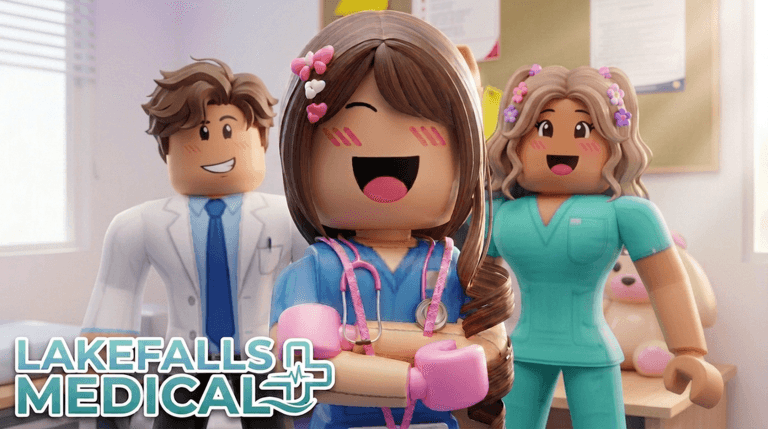
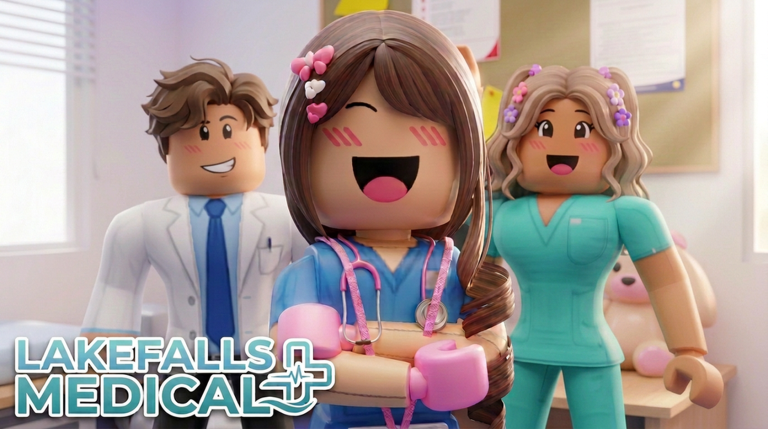
Lakefalls Medical: GP Simulator is a medical roleplay experience on Roblox by Coda Games, listed under place ID 110233092317096. The official Roblox listing describes the experience as realistic primary care role-play in a busy community medical practice, created by a UK doctor, where players assess patients and run interactive encounters. Independent reference material describes the same setup: players take roles on both sides of the reception desk, acting as clinic staff or as a patient, taking part in examinations and helping run the practice.
That split is the reason the consultation prompt matters more than any generic tip. A staff-side player is not simply walking around a building; they are triggering and responding to a structured encounter with another player who is presenting as a patient. The prompt is the handshake that starts that encounter, and the dialogue prompt is what carries it forward.
How the Consultation Prompt and Dialogue Prompt Work
Reference documentation for the experience separates two distinct interface beats. The consultation prompt is the prompt associated with opening a patient encounter, while the dialogue prompt is the prompt that carries the conversation itself. Treating these as one button is the first mistake players make, because the two sit at different points in the same flow: one begins the consultation, the other advances what is said inside it.
Keyboard tutorial prompts are visible in screenshots accompanying third-party walkthrough material for the experience, and that walkthrough material was marked updated September 10, 2026, with dialogue evidence reviewed September 12, 2026. No in-game test was performed while compiling this article, so treat the prompt flow as documented rather than independently verified.
Working the System Like a Veteran
- Decide your side of the desk first. Clinic staff and patients experience the same encounter from opposite ends. Understanding what the other role needs from you makes the dialogue prompt smoother for both players.
- Separate opening from advancing. Initiate the consultation deliberately, then read the dialogue options before continuing. Rushing the advance step is the most common way an encounter stalls.
- Let the practice run around you. The experience is framed as a busy community practice with examinations and reception duties. Patient flow means encounters arrive in batches, so finishing one cleanly before starting the next keeps the queue moving.
- Keep the encounter inside the roleplay. This is medical role-play, not a competitive mode. The value of an encounter comes from a believable assessment and exchange rather than speed.
How Code Redemption Fits Alongside the Encounter Loop
Codes exist as a separate layer from the consultation system, and they are worth understanding because they are the one part of the experience that can be handled outside a live patient encounter. There are currently none to redeem for Lakefalls Medical: GP Simulator, and no rewards can be claimed yet. This page is monitored and updates the moment codes drop, and when new codes are released they will appear in the live list below.
The general flow once a code exists:
- Launch Lakefalls Medical: GP Simulator from its official Roblox listing, place ID 110233092317096.
- Open the live codes list on this page and copy the code exactly as it is written, including capitalization.
- Enter the code into the redemption entry in the experience once that entry becomes available.
- Confirm the redemption and check your account before starting your next consultation.
- If an entry stops working, it has left the list, so move on rather than retrying.
Developer communication for the experience routes through the Coda Games community, which is the place to watch for update notes that would accompany any code release. Codes typically expire because they are tied to short promotional windows, which is exactly why an entry can vanish from the list while the underlying experience keeps running.
Common Misreads That Waste a Session
The biggest error is assuming the consultation prompt and the dialogue prompt are the same interaction, which leads players to try to talk before an encounter has actually opened. The second is skipping the tutorial prompts, since keyboard tutorial prompts are shown early and are the fastest documented route to understanding the controls. The third is treating codes as a substitute for play: with nothing to redeem at present, time spent hunting for codes is time not spent on the encounters that define the experience.
Q: What is the consultation prompt in Lakefalls Medical: GP Simulator?
It is the prompt tied to opening a patient encounter in the experience. Reference material treats it as separate from the dialogue prompt, which carries the conversation after the consultation has begun.
Q: Can I play as both a patient and a clinic worker?
Yes. The experience places roles on both sides of the reception desk, so you can act as clinic staff or as a patient, taking part in examinations and helping run the community practice.
Q: Are there any codes to enter for Lakefalls Medical: GP Simulator right now?
There are currently none to redeem. The live list on this page updates automatically, so any newly released code will show up there as soon as it drops through Coda Games channels.
Start Your First Consultation
The consultation prompt loop is the backbone of Lakefalls Medical: GP Simulator, and mastering the split between opening an encounter and advancing its dialogue will carry you further than any generic Roblox routine. Open the experience from its official listing, choose a side of the desk, and let the tutorial prompts guide your first encounters. Check back here for any code release, since this page verifies and lists codes the moment they appear.
Lakefalls Medical: GP Simulator Codes (September 2026)
No active codes are available right now for Lakefalls Medical: GP Simulator.
Not yet fully verified. This list updates as sources are rechecked.
No verified active codes are currently recorded for this game.